Zeno Events.
Zeno's platform needed a dedicated events module with its own authenticated workspace, built on the same reliability standard as the rest of the Zeno suite.
A Project is the hub. Everything else — quotes, invoices, inventory, contracts, payments — hangs off it.
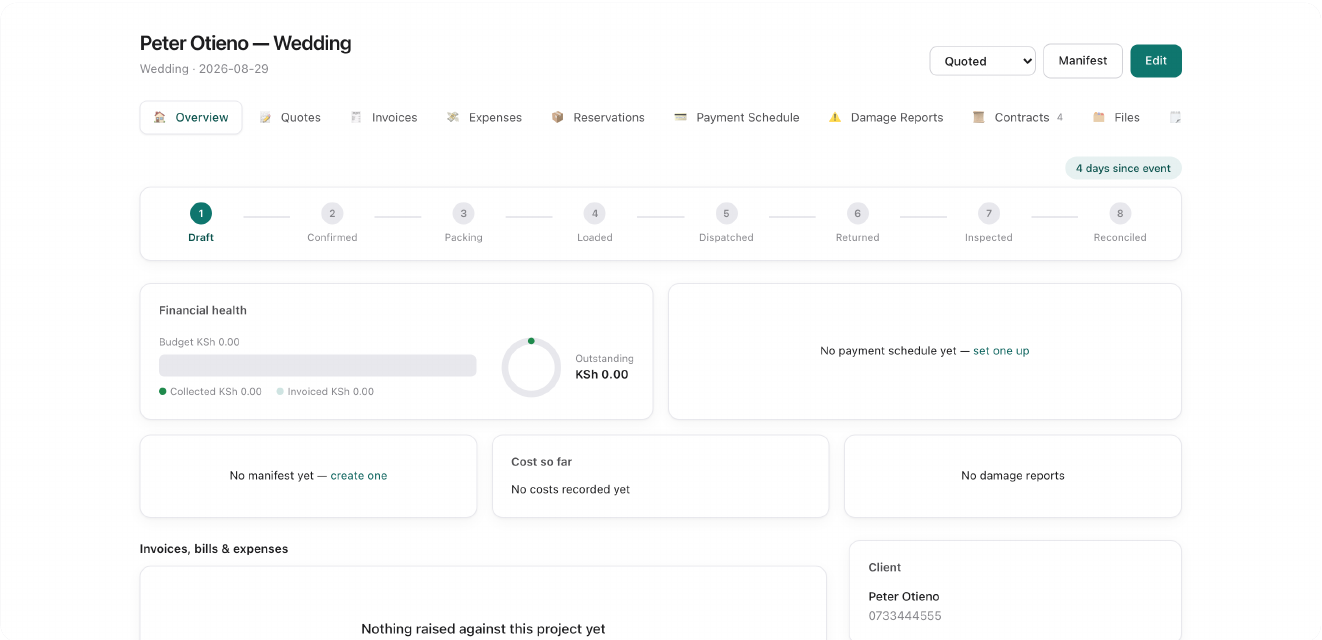
A booking moves through Zeno Events in a predictable line: a lead converts into a Contact and a Project; a quote drafted against that Project, sent, and accepted, moves it to Confirmed automatically — no manual click required. The moment a Project is confirmed, any Event Inventory items on its invoice that map to exactly one unambiguous rental batch are auto-reserved for the event date. Those reservations become a dispatch manifest — the pick/load/dispatch/return/inspect checklist warehouse and loading staff work off. A Project only auto-completes once both conditions are true: every real invoice is fully paid, and the manifest is fully reconciled. A signed contract runs alongside this chain, not inside it — client-facing paperwork tied to the same Project, signed independently of where the booking sits in its financial lifecycle. The Client Portal is a second, parallel application: staff use the main system, clients use their own login that shows only their own projects, documents, and contracts.
Core Workflows
A lead comes in from the website → Sales converts it to a Project → drafts and sends a Quote → client accepts it in the portal, Project auto-confirms → Event Inventory items on the invoice auto-reserve → a manifest builds from those reservations → warehouse staff pick, load, and dispatch on event day → collection staff bring everything back and it's inspected → the final milestone invoice is paid in full → manifest reconciles → Project auto-completes.
An item comes back from an event and gets inspected as damaged → a Damage Report opens automatically with photo evidence → an admin sets its liability status (absorbed, or billed to the client) → if billed, it flows onto the client's next invoice as a real charge, not a side conversation.
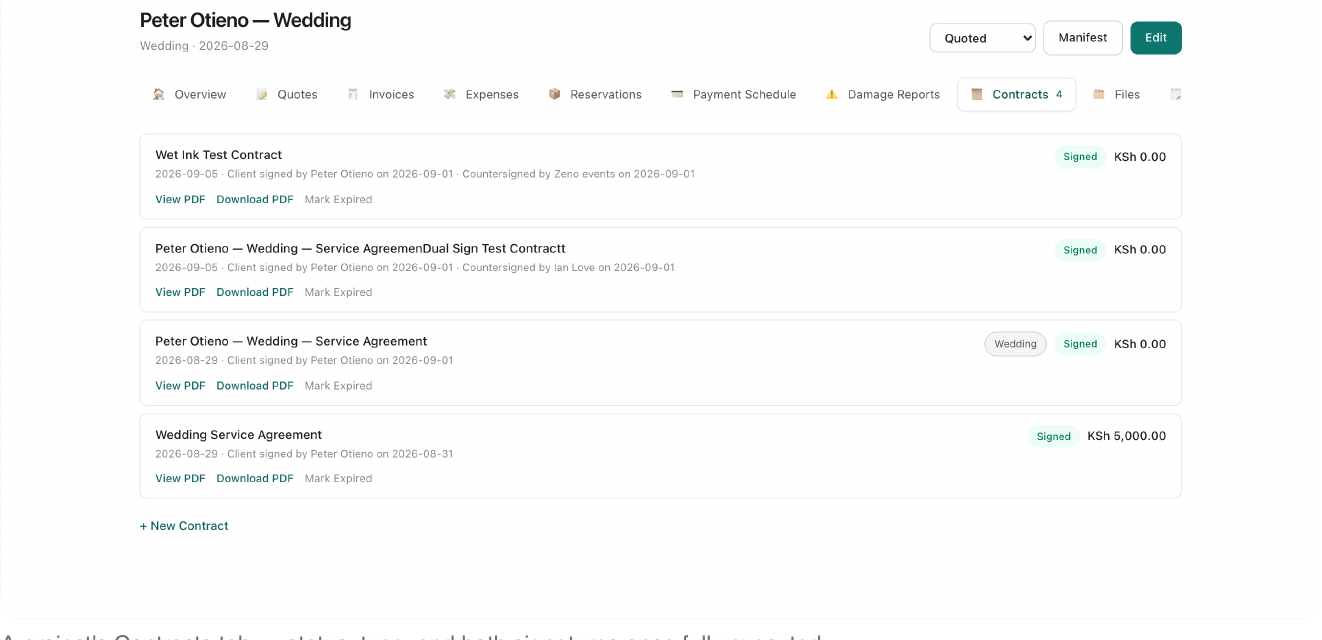
Admin drafts a contract from a template, content and payment terms pre-filled → marks it sent → client reviews it in the portal, agrees, and draws their signature → it's client-signed and staff countersigns on behalf of the company from the project's Contracts tab, drawing their own signature → contract flips to fully executed, both signatures visible on the PDF, both parties can download it.
System Reference
19 modules, from a lead's first message to a fully reconciled event.
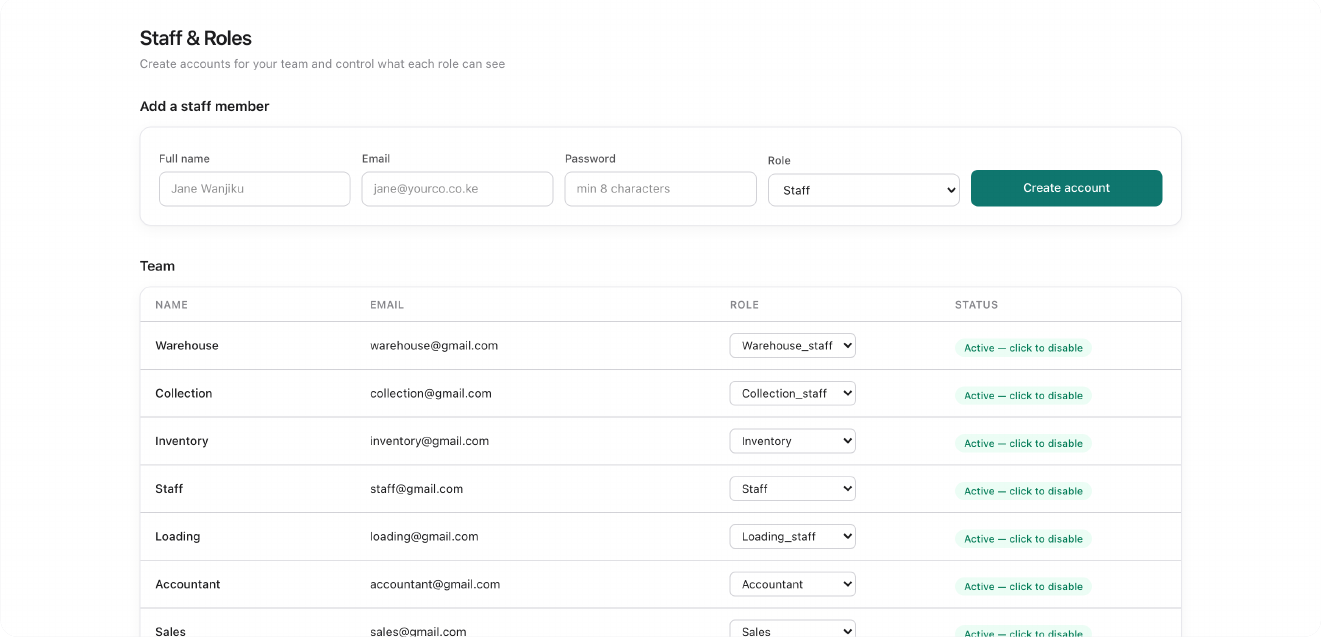
Nine built-in roles ship with Zeno Events: Admin, Accountant, Sales, HR, Inventory, general Staff, and three operational roles built for event logistics — Loading Staff, Warehouse Staff, and Collection Staff, each scoped to a mobile-friendly checklist and almost nothing else.
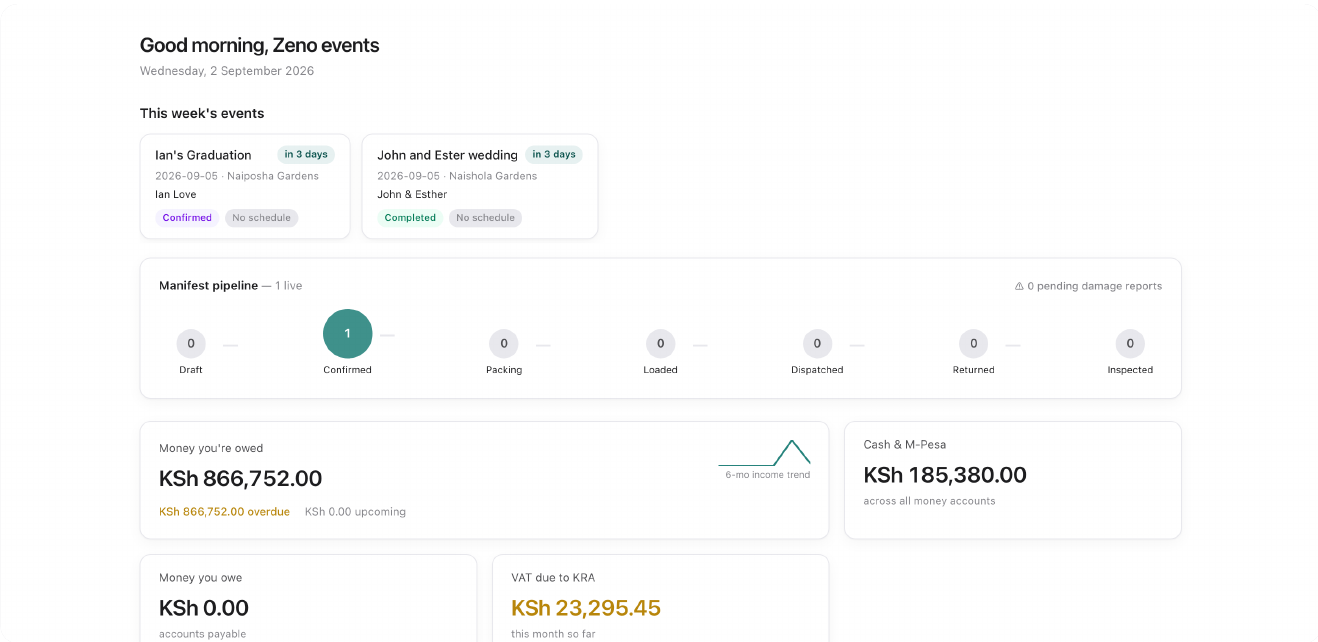
This week's events, the manifest pipeline (how many jobs are draft/confirmed/packing/loaded/dispatched/returned/inspected), and cash position on login. The calendar's day cells tint darker the busier they get — an early warning for double-booking risk.
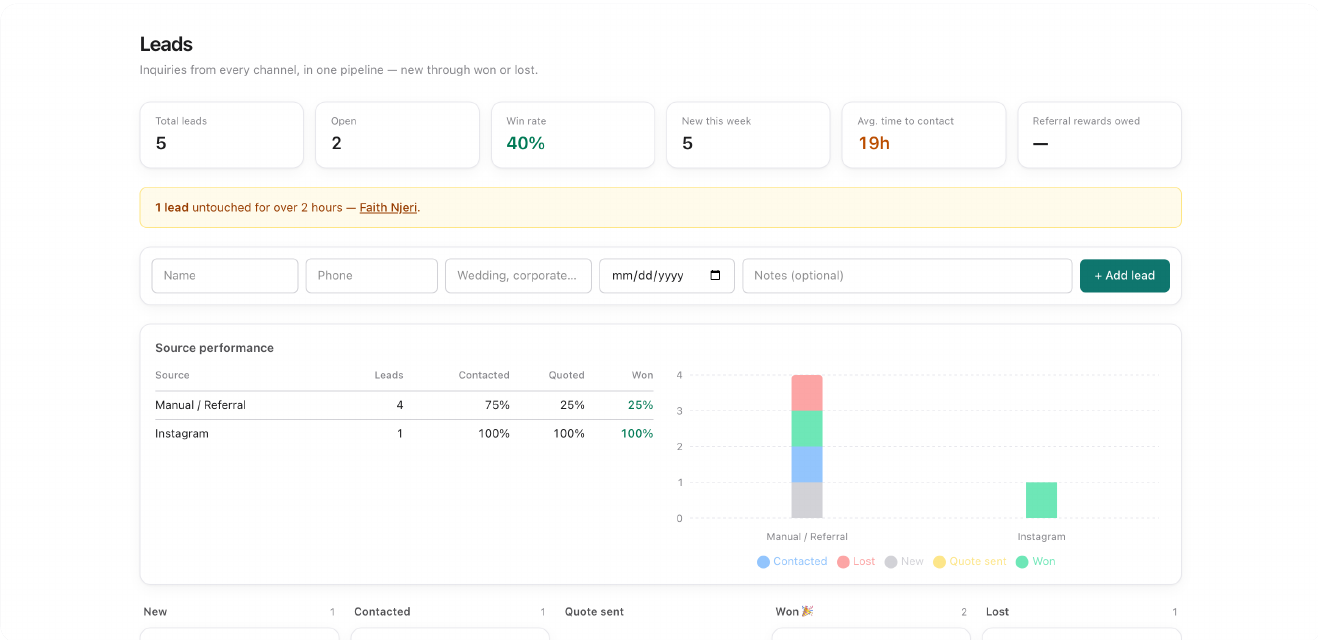
Pre-contact inquiries captured from a public web form, QR code, Instagram/Facebook, WhatsApp click-to-chat, manual entry, or a referral code — all into one shared pipeline. A stale lead still "New" after two hours flags itself with an SLA warning.
A general-purpose CRM pipeline for contacts, kept separate from the events-specific Leads and Projects system on purpose — for sales conversations that don't map cleanly onto an event booking.
One shared address book for clients you invoice, vendors you buy from, or both. Every quote, invoice, bill, and project links back to a Contact here, with customer groups and saved vendor payout destinations.
The hub everything else connects to. A Project is one event — a wedding, a corporate function, a graduation — tying together the client, the money, the gear, the paperwork, and the timeline. Lifecycle: Lead → Quoted → Confirmed → In Progress → Completed, most of it automatic.
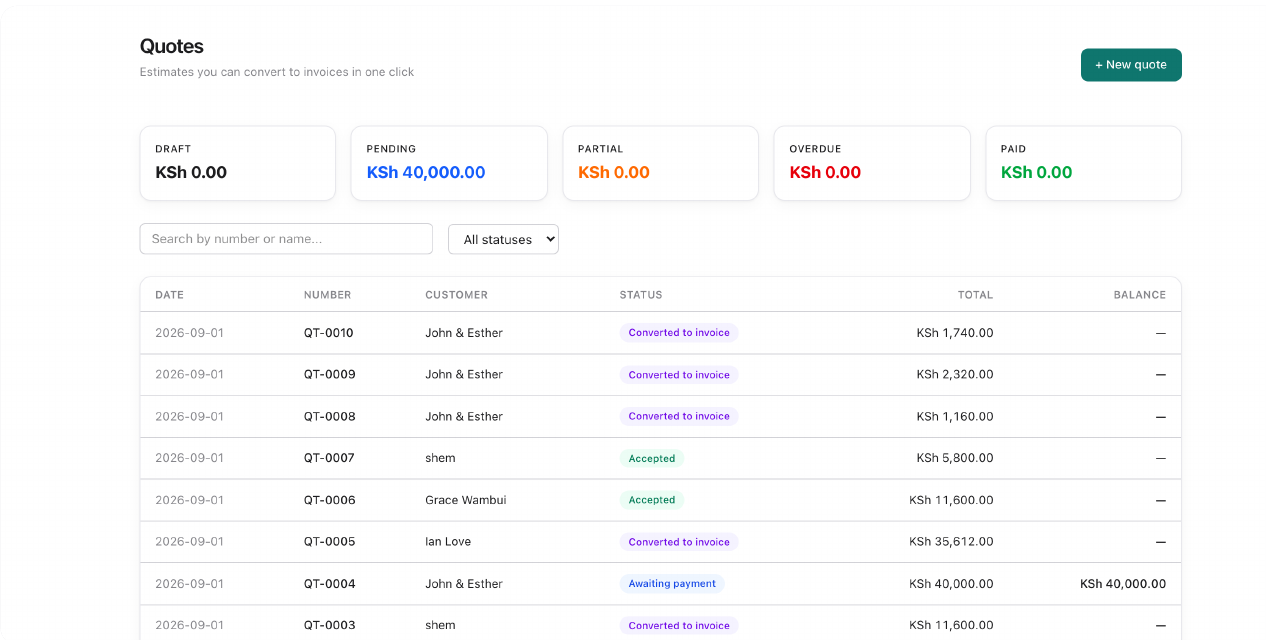
A priced proposal for a client, issued as draft, sent for review, accepted, declined, or converted straight into an invoice. Sending a quote is what first moves its project from Lead to Quoted.
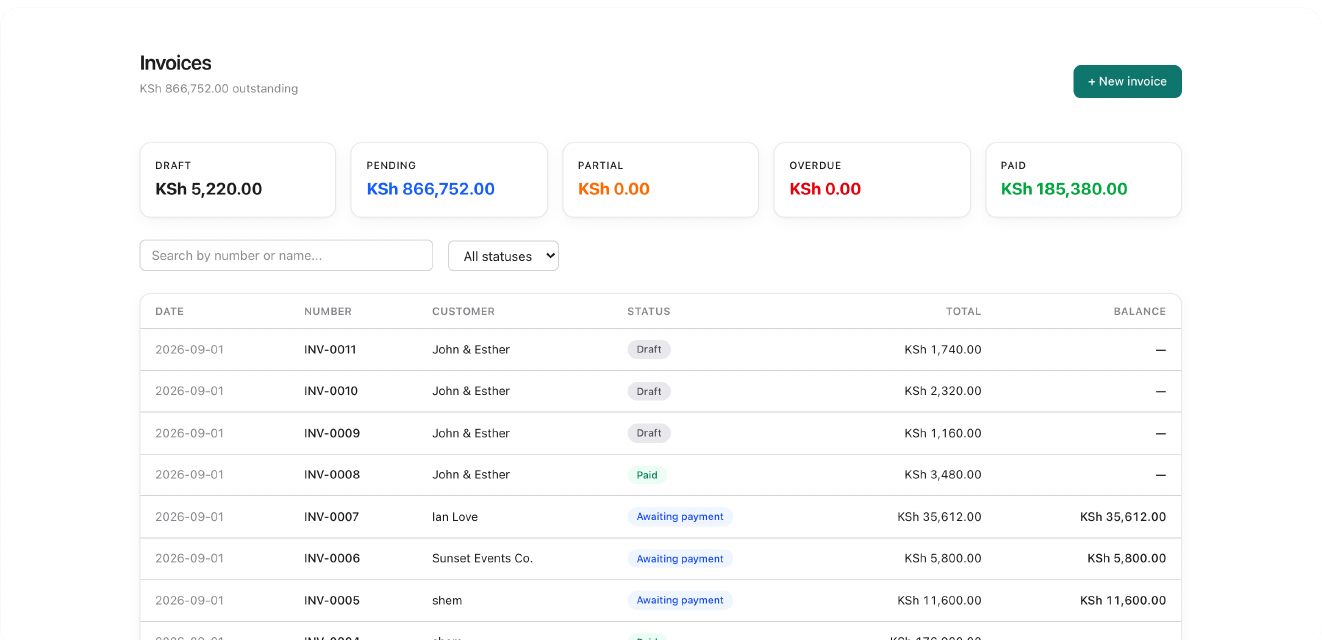
Issuing an invoice signs it (where eTIMS is enabled) and posts it to the ledger — a real accounting event from that point, not just a draft. A fully paid invoice is one half of what auto-completes a project.
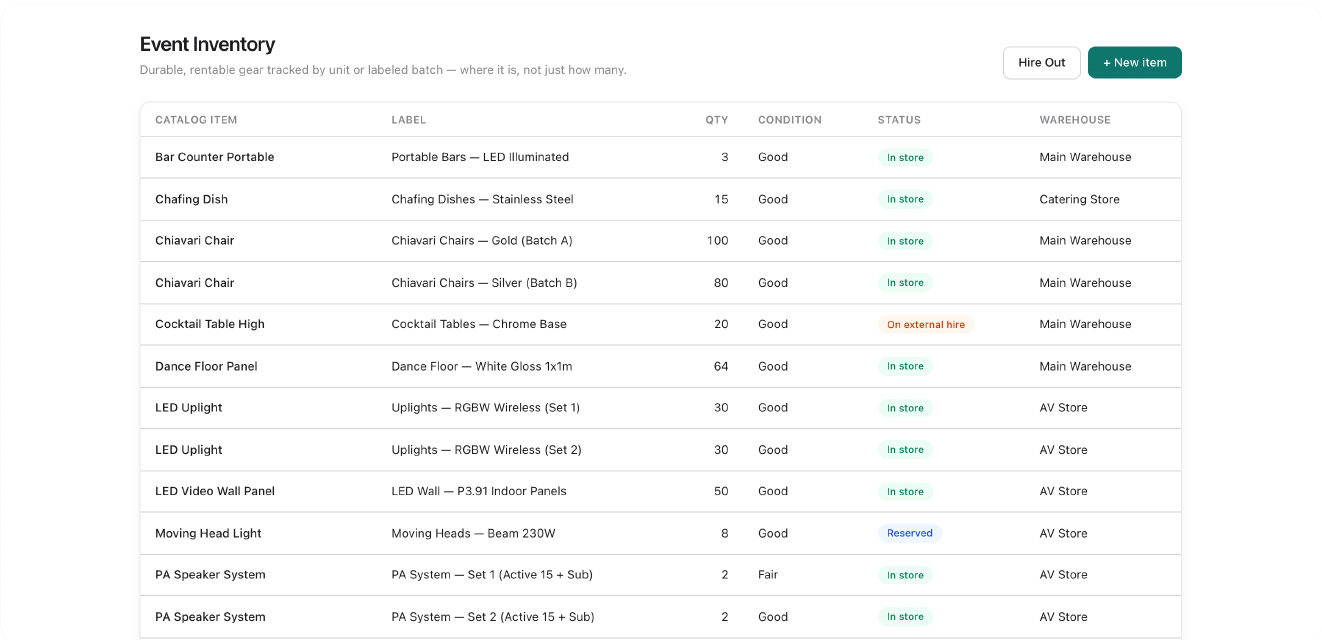
Rentable gear — chairs, tents, décor — tracked by physical batch and warehouse, not just quantity. Reservations auto-create from invoice content the moment a project is confirmed; anything ambiguous is flagged for a human to reserve manually, never silently guessed.
The general catalog and stock ledger for everything sold or bought — tracked stock, services, and rental gear, which also carries an Event Inventory presence. Tracked stock uses FIFO costing and reorder-level alerts.
The real-world dispatch checklist built from a confirmed project's reservations: pick → load → dispatch → collect → return → inspect. Operational staff see only this screen. Flagging an item damaged during inspection opens a Damage Report with its own liability status and photo evidence.
Client service agreements tied to a project, with admin-managed types and reusable templates carrying merge fields like {{client_name}} and {{event_date}}. A contract is only fully executed once both a real drawn client signature and a staff countersignature are on file.
An Expense or Bill tagged "billable" to a project's client folds automatically into that project's next milestone invoice as a real line item, not just a note. Expense Claims lets any employee submit an out-of-pocket reimbursement regardless of role.
The accounting backbone: bank reconciliation against real statements, the double-entry general ledger underneath every document in the system, and fixed-asset tracking with depreciation for equipment the business owns outright.
Reports cover the standard accounting set — trial balance, P&L, VAT prep. Analytics adds an events-specific layer: margin by event type, seasonal booking curves, budget-vs-actual, and a full booking-to-billing funnel.
Staff payroll runs, statutory rules and tax, and staff loans and advances — a self-contained module for organizations that pay employees through Zeno directly, with amortized loan repayment schedules.
Where an admin creates staff accounts, assigns roles, and controls exactly which modules each role can see — including the three operational roles built specifically for event logistics.
Org-wide configuration: company profile and branding, payment gateways (M-Pesa Daraja, Kopo Kopo), SMS receipts, the customer OTP portal, lead capture channels, and contract types & templates.
A completely separate, client-facing application with its own login and a hard boundary around internal data — clients see only their own projects, documents, and contracts, never cost breakdowns, margins, or other clients' data. They can review and pay invoices, accept quotes, and sign contracts with a real drawn signature.
Zeno Events runs as its own authenticated module within the wider Zeno operating system.